Field  ·  Field Service

Run more jobs.
Get paid faster.
Less chaos.

Field service management for HVAC, plumbing, electrical and every trade that runs on service calls. From the first call to the final invoice, all in one place.

NEW SIGN-UPS PAUSED  ·  Here's why
Field dispatch board with a live technician map and active tickets
Built for
  • HVAC
  • Plumbing
  • Electrical
  • Appliance Repair
  • General Maintenance
  • Landscaping
  • Pest Control
Sound familiar?

Running a trades business
is hard enough.

Most field service businesses are held back by the same problems. Field is built to fix them.

Without Field

  • Dispatchers calling technicians to find out where they are
  • Parts used on the job never make it onto the invoice
  • Invoices going out days after the job, or not at all
  • No visibility into what your team is doing right now
  • Spreadsheets that break the moment someone is out sick

With Field

  • Real-time technician location on a live map
  • Zero unbilled parts, logged at the job site
  • Instant invoicing the moment a job is complete
  • One screen for every job and every tech, right now
  • Any phone for your techs, even offline
Everything you need

One platform.
Your whole operation.

From the first call to the final invoice, Field handles every part of the job.

Real-time dispatch board

Your whole operation, on one screen.

A live view of every job and every technician, updated as they move through their day. No more phone calls to find out where someone is, and no more guessing ETAs for clients.

  • Live map showing every technician's location
  • All active tickets visible at a glance
  • Assign jobs in seconds; techs are notified instantly
  • Status badges for Open, In Progress, On Hold and Complete
  • Urgent jobs highlighted so nothing gets missed
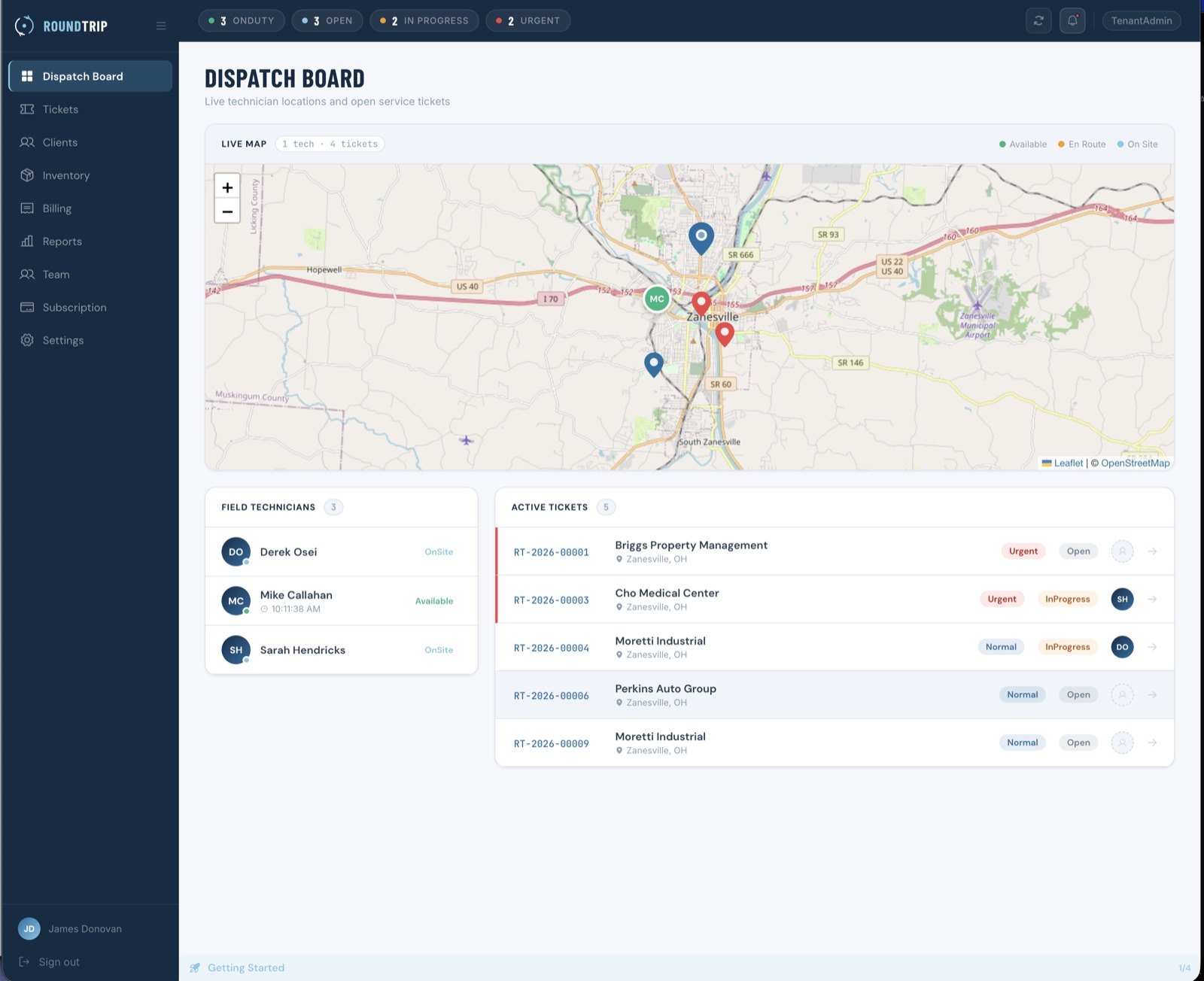
Field dispatch board with a live technician map and active tickets
Technician mobile app

Everything your techs need. Nothing they don't.

A clean, simple app that works on any phone. Job details, client address, navigation, parts logging, photos and signatures, all in one place. It works offline too, so a dead zone never stops the job.

  • Job details and client info before they arrive
  • One-tap navigation to the job site
  • Log parts used straight from the parts catalog
  • Capture photos and client signatures on site
  • Status updates sync to the dispatch board instantly
  • Works offline and syncs when the connection returns
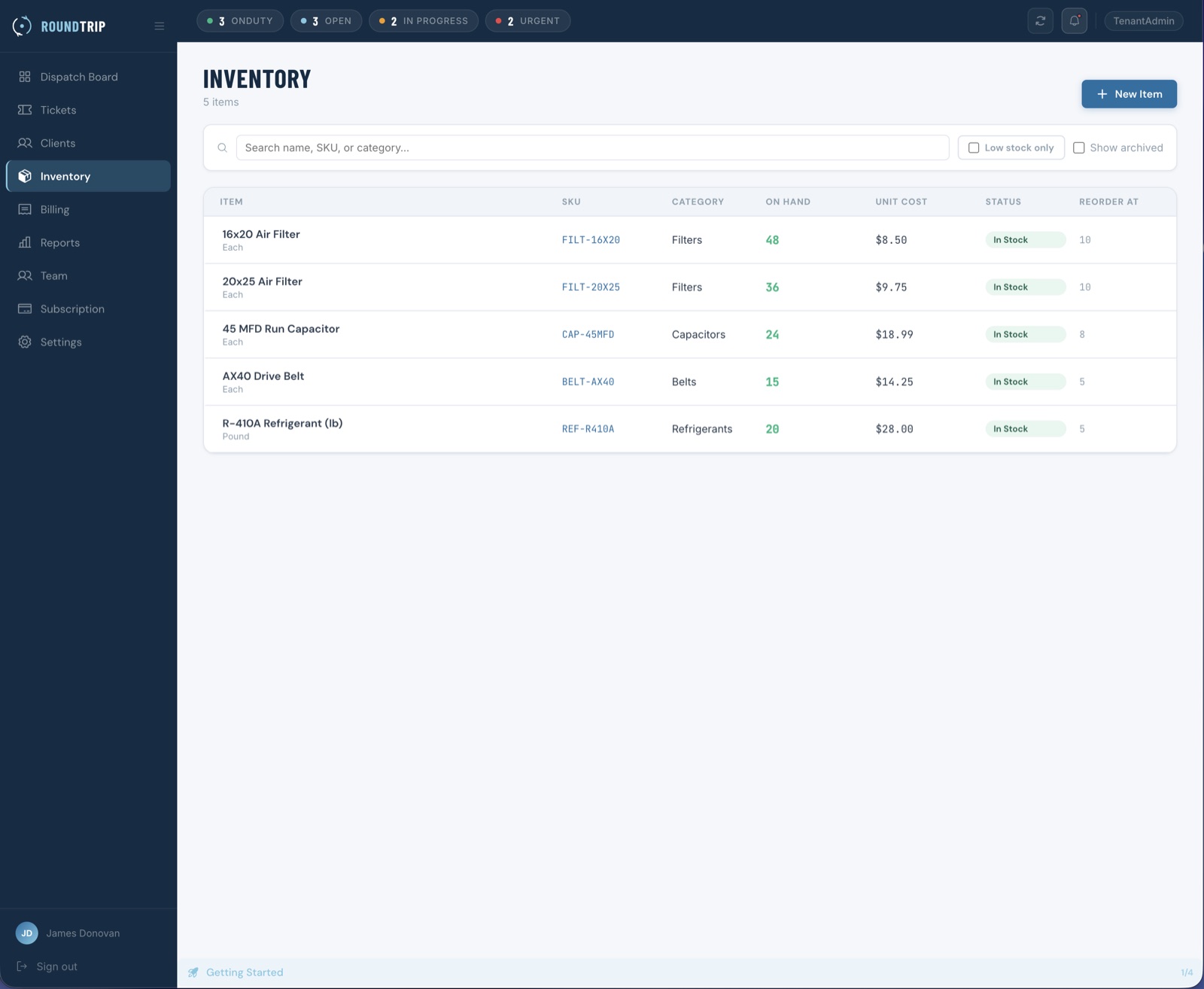
Inventory & parts tracking

Nothing used goes unbilled.

Track your parts inventory, get alerts when stock runs low, and let technicians log parts from the job site. Every part logged flows straight to the invoice, so nothing slips through between the job and the bill.

  • Full parts catalog with stock levels
  • Low-stock alerts before you run out
  • Technicians log parts from their phone
  • Parts added to the invoice automatically
  • Stock reduced on use, so counts stay accurate
Field inventory screen showing the parts catalog and stock levels
Professional invoicing

Invoice at the job site. Get paid faster.

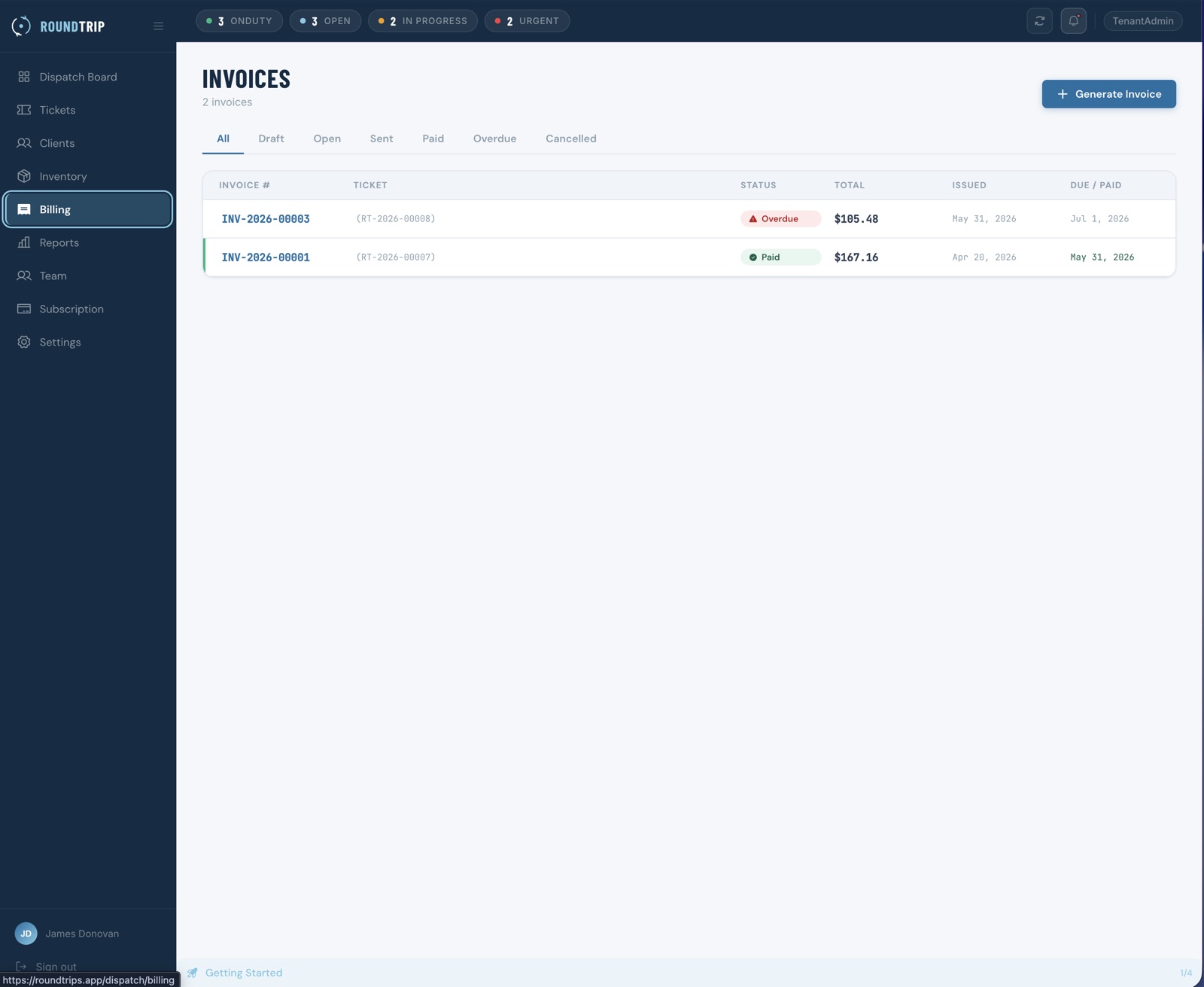
Send a branded invoice the moment a job is complete, before your technician starts the truck. Parts, labor and tax are filled in from the job, and clients receive a professional PDF by email.

  • One-click invoice from a completed ticket
  • Line items filled in from parts and labor
  • Branded PDF delivered by email
  • Draft, sent and paid status tracking
  • Overdue invoice detection and aging reports
Field invoice list showing sent invoices and billing status
Reporting & insights

See exactly how your business is performing.

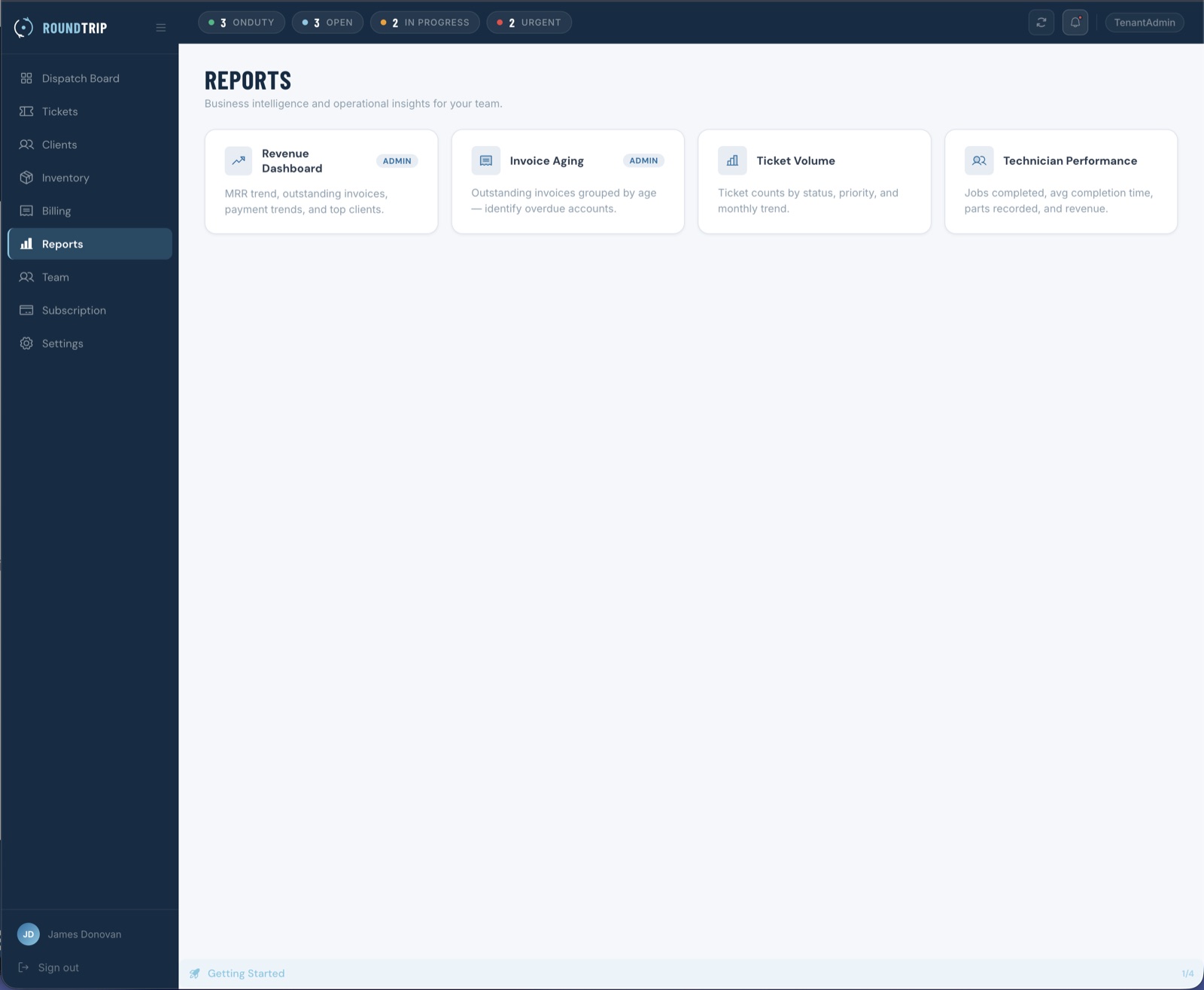
The reporting you've always wanted but never had time to build: revenue, technician performance, invoice aging and ticket volume, updated in real time. No spreadsheets required.

  • Revenue dashboard: daily, weekly, monthly
  • Technician performance by jobs completed and revenue
  • Invoice aging: what's outstanding and by how much
  • Ticket volume by status, priority and technician
Field reporting dashboard showing revenue and technician performance
Simple by design

Up and running without the IT department.

No lengthy onboarding and no consultants. Three steps from sign-up to your first paid invoice.

  1. 01

    Set up your team

    Add your technicians, set your service area and import your client list.

  2. 02

    Dispatch jobs

    Create a ticket and assign it. Your technician is notified instantly, and you can follow the job in real time.

  3. 03

    Invoice and get paid

    The moment the job is done, send a professional invoice from the job site. No delays, no chasing, no unbilled work.

Sign-ups paused

Ready to run a tighter operation?

New sign-ups are paused while we build one account system for every TRAXS product. Get notified the moment they reopen, or book a demo to see Field in action now.